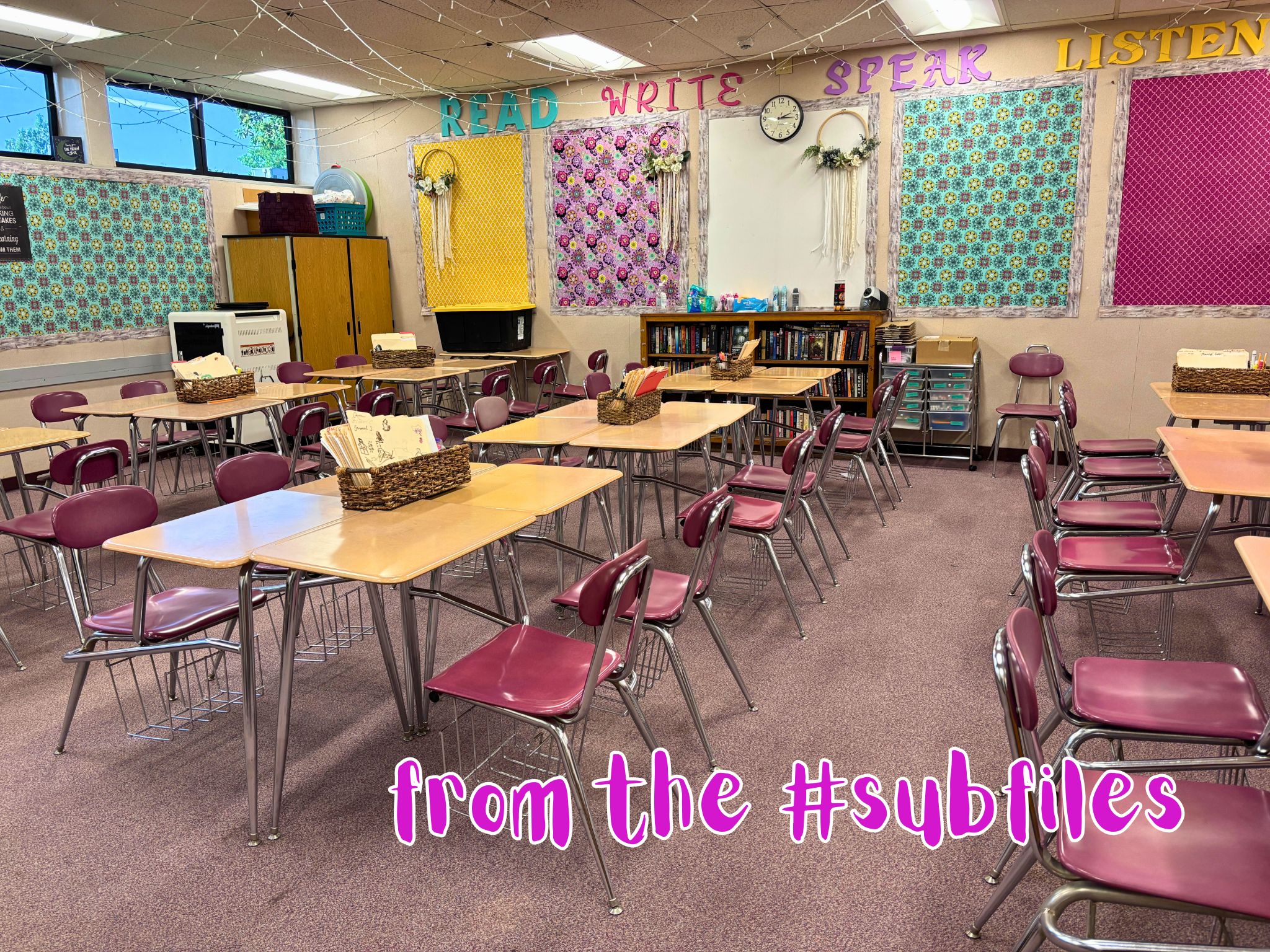
Showing posts with label technology. Show all posts

Thursday, February 19, 2026

Spinning Wheel of Doom

Tuesday. Film Studies. Seventh period. 

When I walked in the classroom first thing in the morning, there was a note projected on the screen. It said to leave the big screen down all day, and that the movie the class was watching would automatically start shortly after class started. Okay, then.

First period, things worked perfectly. The class watched Sisu

It was a pretty violent movie. The teacher said it was in the same vein as John Wick. If you like that sort of thing, I do recommend. 

Third period was sophomore English, which I wrote about yesterday. The screen projected a note to the kiddos, reminding them of what they were supposed to be working on. Then fifth period it turned into another note to me, saying not to touch anything. 

It was a little creepy, but I've heard some stories of what subs end up doing, so I understood. I did not touch anything. Why would I? Everything was working perfectly... 

Oh, you know what's coming. 

Seventh period walked in. I took roll. Explained what they would be watching. (They watch movies all year, so this was nothing new.) Then, as planned, the movie started. 

I got comfortable. We were about ten minutes into it when something blinked on the screen, we got the spinning wheel of doom, and the movie froze. 

Naturally. 

The teacher had left his phone number, so when things didn't right themselves, I texted him. When I got no response, I called. 

I explained the situation. He said he couldn't fix it from where he was, and he couldn't leave. (He was on campus.) The class would have to do something else... 

Luckily, this was a good class, so they found something to entertain themselves. 

Just before the period ended, Mr. A walked in. He did something on his phone, and the movie righted itself. He had Apple TV hooked up, and he had programmed the full day on it. Somehow it had lost connection. Mr. A had the remote on his phone. If he had left a remote with me... 

But, as I said before, some subs... Anyway, the kiddos had access to the film, so they could watch it at home. Not as good as on a big screen, but tech issues and all. 

I was kind of glad not to have to watch the movie again. But I know they would have rather had it. Ah well. 

It worked for almost the full day. 

Wednesday, February 11, 2026

Changing My Password

Wednesday I was back at the continuation high school. And... Meh. The teacher was chaperoning a field trip whale watching. I had one student per class period. Yeah. Seriously. 

Alas, at the end of the day they had not seen any whales. They did see lots of dolphins, though. 

But I had one major thing I had to do on this day, and it had nothing to do with the students. 

Last summer, the district implemented a bunch of new security protocols. There were some breaches. Nothing bad has happened as of yet, but the IT people are concerned. So, two factor authorization became mandatory, and passwords now have to be at least 15 characters long and include a capital letter, one of the other special characters, a number, an incantation to summon the rain god, and the name of our first grade teacher. 

Well, maybe not quite all of those. 

And, of course, now passwords must be changed every three months. 

To change the password, one must use a district-issued device. Of course, as a sub, I do not have a district-issued device checked out to me. (I do get one when I'm on a long-term assignment.) And most teachers nowadays have laptops checked out to them that they don't leave in their classrooms for their subs to use. 

Some classrooms still have very old desktops. And some classrooms have newer desktops. So, knowing that it's been about three months since I changed my password, I was delighted to see a district-issued device that I could access in Mr. P's classroom. Which meant that this was the day that I could update my password so I don't have to worry about this again until May. 

I had a new password picked out and everything. 

Second period was my prep. As soon as my first period student left, I went about logging in and getting that password changed. 

And for the next hour... 

Because, yeah. I spent an hour on this ridiculousness. 

I mean, the actual changing of the password was pretty quick and painless. It was just in updating everything that uses that password that took for-ev-er. 

So, there's the login to the district computers. And my emails. (I have two with the district.) Then there was the login I'd used to login to the computer I was using, so every tab I had open suddenly didn't work. I have the district email on my phone, so that had to be updated. As well, I had to update my Wi-Fi access, as I can access the district Wi-Fi, but only via my username and password. 

And then the big problem. I had to re-login to Google on my phone, as that's what I'm using for my 2FA (because texting a code led to other issues), and that required 2FA, and... 

Like I said, an hour. 

And so, now I don't have to worry about this again. Until May. Sigh. 

All done. All clear. Until the next day when my computer wouldn't log in so I could take attendance, and I took way too long to find where to update the Wi-Fi password on that computer. Because of course there would be one more thing I hadn't quite updated. 

Whew. 

*My first grade teacher's name was Mr. Elm. 

Friday, November 14, 2025

Glitchy

Friday. Seventh period. Integrated math 1. (Read: algebra 1.) 

The plan was for them to do their study guide for a half hour, then I'd go over those answers, and then they'd take their test. While they were working on their study guide, I texted the teacher with the names of all the students (nine of them!) who were absent. 

No one had any questions about the study guide. So, then it was time to start the test. I collected their work, and they went to get computers. 

The test was online. 

Dr. R wanted the names of those absent so she only had open tests for those students who were in class. (Absent students could access the test from computers at home, but at home we couldn't guarantee the students weren't using notes or their phones or someone else was doing the test for them.) 

Once they got logged in, a student called me over. Her test was paused. It turned out she was on my absent list. (Which, seriously? I called out the roll. Was she not paying attention when I called her name?) So, I texted Dr. R to open her test. 

Whew. Class was quiet. Phones were put away. Things were going well... 

Sterling approached. His test had been paused. He showed me that when he tried to input a plus sign, he instead got a new screen. And because it was a test, the computer only allowed one screen and one tab open while the test was being done. 

I texted Dr. R. Sterling continued working on his test... 

A few minutes later, another problem. Sterling wanted to backspace to fix something he had mistyped, only backspace wasn't working. Deep sigh. 

I had Sterling get another computer. Clearly the one he had was glitching (or he hit something that was disrupting things), and I wasn't going to be able to fix it. So, I had to text Dr. R one more time... 

It was after school when I saw her final response. That she had opened Sterling's test twice. (I got busy with class stuff so I wasn't looking at my phone.) 

I made sure to send along an explanation for what happened. Tech issues. Always gets us. 

This is one reason why the math teachers don't usually give tests while they're out. (Well, those teachers who do the online tests. Some teachers still do tests on paper.) 

Friday, November 7, 2025

Their Instructions


Friday. Halloween. Seventh grade science...

(If anyone recalls how I started last school year--long term for a maternity leave for a seventh grade science teacher--this room might look familiar. Yup, this is Ms. S's class, the class I covered last August/September.)

Because Halloween, Ms. S left a movie. Wall-E. Since the classes are 90 minutes long (block schedule), the kiddos started with a vocab assignment. 

The definitions were written on the white board. Then they were to illustrate the terms and use the terms in a sentence. They've done this before. Several wanted computers to look up images, but Ms. S said no computers. 

(I covered the class about a month ago, and I severely limited computer access per instructions. Those students who managed to find a good enough excuse to get permission to use a computer proved why no computers was the better way to go.) 

It was time to start the movie. But, while many of them had finished the assignment, many still had not completed copying the definitions of the terms. I warned them that I was going to pull down the screen, so they had only a couple minutes left for that task. 

Ms. S had left the movie on DVD and had that hooked up to her projector. 

The projectors were new technology a short time ago. They have been supplanted by the big TVs, but some teachers prefer the projectors. And in some cases those work better for some applications. 

I had not had a chance to test the equipment, but unlike with yesterday's post, I was sure this DVD player actually worked. But I wanted to have everything ready to go before I told a class of seventh graders that we were starting the movie. 

I turned on the projector. Then I turned on the DVD player. It immediately went into starting the movie... 

"You have to pull down the screen." 

"Turn out the lights." 

"I can't see the movie."

"Six seven..."

"We passed this part already." 

I didn't respond as they all shouted out instructions. Because really? I had it. Everything was working. And I was still waiting on one or two students to finish copying down the definitions before I pulled down the screen. 

So, I waited. I haven't quite figured out how to shame them into calming down. I can't compete with them all shouting instructions at me. But if I say nothing, they seem to think that I'm not hearing them or I don't understand what they're telling me. 

Eventually I was ready to get it all started. I explained that we were about ready to go, and that's when I pulled down the screen and fast forwarded to about the 20 minute mark (which was where Ms. S said they left off). 

That age just loves to explain things. They make sure the sub knows how things are supposed to go. Even though this sub did know what needed doing. 

As far as Halloweens go, this one was relatively sedate. 

Some previous Halloweens: 

Thursday, November 6, 2025

Old Broken Technology

In February, I took a long term gig covering a class that had lost its teacher at the semester. It was a mad scramble

At that time, the library was clearing out its old technology. They were throwing out all their old DVD players as most teachers now stream video to their big TVs or have the kiddos watch things on their Chromebooks. The aide for the class snagged one of those DVD players and left it for the classroom. 

At no point did we ever use that DVD player. 

Wednesday. Freshman math, special ed. 

New teacher, but familiar classroom. Mr. R arrived, admitting that he had forgotten he was out of class, so his lesson plan was kind of thrown together. The kiddos had a couple worksheets, and then they could watch a video. (He left three choices.) That DVD player, that Ms. S acquired in February was connected to the TV. 

We got through the worksheets and "Good Things". (Every day they do a thing where the kiddos talk about one good thing in their lives.) And then it was time to watch the movie. I let the kiddos pick which one, and I went to start the DVD player...

Only it wasn't plugged into the wall. We searched for an extension cord... 

I turned on the player, put the DVD in, but the TV wasn't getting a signal. I switched out the cable. Nothing. I tried a few other fixes. Again, nothing. 

I grabbed a Chromebook, figuring I could stream the movie. Only, the Chromebook didn't have a spot to plug in the HDMI cable to plug into the TV. 

Finally, after a good half hour of troubleshooting, I cast the Chromebook to the TV. Only, the picture worked, but the sound did not. Sigh. (The sound worked from the Chromebook, so I turned that up as high as it would go.)

For the next class, the aide called a neighbor teacher who is tech savvy to see if she could figure out the problem. She plugged in a different DVD player... and that worked. (Well, the drawer for the DVD wouldn't open, but the TV got a signal from the DVD player.) 

So, the DVD player, that Ms. S "rescued" from being thrown out, didn't work. Sigh. 

If only Mr. R had tested the thing before setting that as the lesson plan... 

Thursday, October 30, 2025

One Small Detail

Wednesday. Seventh period success, eighth grade. 

Success is about teaching the kiddos study skills. There's some social/emotional stuff as well. (I've talked about covering this type of class before.) 

The class was across the way and a couple doors down from the art class. There were some familiar faces. And I knew what I was in for. But the teacher, while small, is mighty, so I wasn't anticipating any issues... 

They had an assignment online. I had them log in. They found the assignment, only the assignment didn't contain any assignment. 

That is, the assignment existed, but the teacher had forgotten to attach the slides that the students needed to do the assignment. 

It was a good-sized class. Full. And these sorts of students don't take to waiting too well. Let's just say they came in loud and not having something to focus on meant that instead of settling down, they got louder. 

I don't like to bother teachers when they're out, but this was a time when I was glad the teacher had left her cell phone number. I texted her... 

Me: Hi. It's your sub. What is Success supposed to do? There is an assignment, but no instructions. ???  Ms. M: they just should be going through the slides and answering the questions  Me: No slides  Ms. M: Oh shoot. I am trying to figure it out. Have them work on missing assignments in the meantime.

Before I went to text her, I had told the kiddos to work on missing assignments. Were they? Of course not. They were treating the time like free time, with half the kiddos sitting on the floor, and others were roaming around, getting into mischief. Sigh. 

Eventually, we got me logged into her account, and I was able to upload the slides to the assignment. Whew? Well, not so fast. 

Usually, when we assign the kiddos something, we "make a copy for each student" so they can edit the files. They each do their work and submit. But (something I learned the hard way a couple years ago) you can't give each student a copy when you attach something to an assignment already assigned. You can only do this when the assignment is being created. 

But earlier in the week (or was it last week? it's all starting to run together) I covered a class where they made their own copies of an assignment and attached it. So, I went to talk the class through what they had to do. 

As I explained, I got a couple good questions, so those who were following along were able to get the assignment to work. But after I got them started, I got more questions... 

Some students were able to get this to work. Others needed me to walk them through it. Individually. Sigh. 

Eventually I got to every student who couldn't figure it out on their own. Or, at least the ones who were asking. So, hopefully, they were able to complete it. 

Technology. Makes some things easier, makes other things harder. 

At least I knew enough to take away the excuse that they were unable to do the work. 

Wednesday, October 15, 2025

In Trouble

Monday. Fifth period AP English (twelfth grade, literature). 

All the classes had assignments on paper that had to be turned in at the end of the period. Ms. A noted that otherwise she couldn't be sure the students weren't "consulting" ChatGPT at home. (I had a period of freshman English and a period of junior English before the seniors.) 

I had to remind the class the assignment was due at the end of the period as it took them some time to get working. But they all finished and turned in their work before the end of the period. 

As usual, I left a very detailed note for Ms. A. Her initial response: 

I am not surprised by ANY of what you noted. Those baseball boys in the corner. Aye! Aye! Aye! 

She was referencing a comment I made about some eleventh grade boys having long conversations that didn't touch on any of the essay they were supposed to be writing. But then I got a follow up email on Wednesday: 

Hello! Quick question: Did my AP 12 students have computers with them on Monday? I am reading their assignments and they sound too good? Also, upon opening one of the Chromebooks today, a student noticed they were on chatgpt asking a Death of a Salesman question.

Oops. Because, yeah, some of them did have computers. I didn't think much of it at the time. It is something I totally should have caught as they had to go and get computers (they were not out). 

I encountered something similar last school year while on the long term for the eleventh grade English class (those students now in the twelfth grade). Some of their answers were too good. I didn't believe some of them had done their work without ChatGPT assistance. 

So, yeah, I should have clocked that. 

I admitted my lapse. Ms. A wasn't upset with me. But she wasn't happy with her seniors...

Uh oh. They were in trouble...

Thursday, October 9, 2025

The Snitch

Wednesday. Eighth grade science. In a classroom directly across from that art class I just left. 

Several of the students had been in the art class. And many students in the art class had to say hello when they passed by me. It's funny how they hate me when I'm there, but they miss me when I'm gone. Sigh. 

The kiddos had plenty of work, but of course several of them didn't make good use of their time. Typical middle school stuff. 

Jorge was seated directly in front of me, and all period he was doing as little as possible. The usual stuff. But when he picked up his Chromebook by the screen...

I remember as a kid being instructed to hold library books a certain way as to not damage them. These kiddos handle Chromebooks as if they're cheap and indestructible. I gasped, and then I warned Jorge to be careful with the computer. If the computer breaks due to his handling of it... 

"You would snitch on me?" 

I attempted to explain that as the adult in the room it was my responsibility to look after the materials in the classroom, and making sure he had a consequence for mishandling the materials was part of my job. But he wasn't listening. 

Jorge howled about me being a snitch. Sigh. 

Eighth graders... 

He did not, in fact, damage the Chromebook. So, I did not have to leave his name for damaging classroom materials. 

Thursday, September 18, 2025

Modern Pranks

Wednesday. Seventh period. As usual, I was standing outside the classroom "greeting" the students as they walked in.

"Your computer turned off..."

As they walk in the room, I have a slide up on the TV. Usually it's the agenda for the day, but since rearranging the room (see yesterday's post), I had their new seating chart on the screen so those who weren't sure where they sat could find their seats. 

I had gone into the power settings on my computer ages ago so that it wouldn't go to sleep while I was using it. (I have it timing out after two hours.) That it would just shut off...

And that's when I realized what had happened. It hadn't just shut off. Someone turned it off. 

It's a thing they do. The kiddos will reach over and turn off each other's computers. Log them out. I'm not sure which key combination does it, but it's two keys, and they can do it fast. 

As they came in, I logged back into the computer. But whatever key trick it is on Chromebooks does a strange thing to laptops--it puts the function key on lock. Which I discovered the hard way when I went to reinstate the music I usually play in the background for them. Deep sigh. 

I growled at them. They denied it was them. (It wasn't "them". It was one student. They probably saw who it was, but they weren't saying.) 

I quickly keyed in my password, found my files, and pulled up the slides for the day. And then we got to work. 

I managed to get through the lesson. I couldn't put on music. (The next day I sat down with the computer and figured out how to disengage the function key lock.) And now I know I have to watch my computer as well as all of them as they come into the room. 

Grrrr.

Friday, May 30, 2025

Modern Problems

Friday. Seventh grade science. Third period. 

The lesson plan had them working on a Friend or Foe paper. (They were given two organisms--plants and animals--and they were to determine if the relationship was beneficial or parasitical.) I passed that out, and they were to fill it out using information found in their Google Classroom. 

Only, the information wasn't in their Google Classroom.

Luckily, this happened at the school I had started the school year out in. You know, the school where I did the long term for the seventh grade science teacher? (She's back now.) So, I knew just who to call for assistance. 

Ms. W didn't have access to Ms. H's Google Classroom, but the three seventh grade science teachers are all friends, so she was able to contact Ms. H to get the issue dealt with. (I actually have Ms. H's cell phone number, too. I was going to text her, but I thought Ms. W might have access, so I thought I'd try the teacher on campus first. Ms. H might not have been easily reachable.) 

Within a couple minutes, the info the kiddos needed appeared in their Google Classrooms. Phew. 

Digital assignments are great, until something occurs and the kiddos can't access them. 

Of course, they also were to start working on their study guides for their final (fast approaching), so I did have a backup in case things went totally awry. But it's much better that I didn't have to resort to that. 

Wednesday, May 28, 2025

Paper Deficit

Monday. My last day in the English class. 

As is my habit, the first thing I did was to get out my computer(s) and log on. Very quickly I discovered that there was no internet. I soon learned that the internet was out for the entire district. 

Not only was this a "transition day" where I was going to give the next sub access to the Google Classroom, lesson plans, and slideshows she would need to teach the class for the week, I also had grading to finish up from my tenure in the class (all done online along with the online gradebook). 

Oh, and the classes had a quiz. That was online. 

After I panicked, I began to contemplate how I was going to approach the day. Luckily, I had a prep period first, so I had some time to adjust. I thought about how I had seen the paper copy of the quiz in the digital file of quizzes for the class, and how I wished I had internet access to print out said paper. And that's about the time I remembered that Ms. A had a file cabinet, and wouldn't it be cool if there was a copy of that quiz somewhere in those files? 

There was a copy on paper of that quiz in Ms. A's filing cabinet. It took me not all that long to locate it. 

The copy machines are not dependent upon the internet. 

I decided to make an answer sheet to go along with the quizzes. (I had time. That lovely prep period.) I was in process when the sub who was taking over for me arrived, so I got a little sidetracked explaining what she was going to need to continue teaching the class. But eventually I got the answer sheet completed, and we headed to the copy room to make the copies we would need for the day. 

It was interesting to do the quizzes on paper. The kiddos were not used to this sort of thing. I had to explain how it worked. It wasn't all that long ago when no explanation would have been necessary. How quickly we adapt to new technologies. 

The online quiz and the paper quiz were pretty much the same. The only difference was the format. And yet, the kiddos who took the paper quiz didn't do as well as the classes that took the online quiz the previous Friday. (There was a 20% difference in average scores.) 

This makes me wonder. Was it the technology? Or were the kiddos who got to take the quiz online cheating somehow? (The quiz was "locked down", so the kiddos couldn't access another tab while taking the quiz. And I monitored them for cell phone use.) 

This is not the first time we've had an internet outage. (There was this time and this time that happened fairly recently.) I'm sure it won't be the last. 

Wednesday, May 7, 2025

Modern Video Problems

Tuesday. Third period. 

Upon finishing reading chapter three of The Great Gatsby, we were to watch the scene from the 2013 movie version

This was in the lesson plans. I saw it weeks before. So, like any prepared teacher, I set about making sure I had what I needed to get this done. Because technology wasn't going to make this easy for me. 

The movie was on Netflix. Was. But, alas, since Ms. A had found it there, it had been removed, for when I went to look for it, it was gone. And it wasn't streaming anywhere else. (If you ever want to know where some movie is streaming, just search it up on IMDb.com. It lists it there on the first page.) 

Ms. A had it on DVD. But, no one has a DVD player any longer. I have a teacher computer. No DVD player in it. (The old, out-of-date computers have DVD players in them, but they don't work all that well. And I couldn't get a hold of one.) I called the library to see if they still had a player (as I had heard that they were getting rid of theirs). They did. But, it didn't have a cable that would connect to the in-class TV. (It had the RCA connector, not the HDMI cable that the TV has connections for.) 

I looked on YouTube and found some video clips of the movie. That were heavily edited and not very long. Sigh. 

After discussing it with another teacher, Ms. K, the co-teacher, bought a digital copy on Amazon. Phew. Problem solved. 

So, it was Wednesday, the day to show the video. We were on a shortened schedule for state testing. The audio for the chapter took about a half hour. 

But, I stop. And discuss. So, even shortening my discussion because I knew it was going to be a time crunch, we finished reading with about ten minutes left in class. The video clip was ten minutes long. Close, but I could make it. 

I went to play the video... 

It worked just fine. On my computer. The projection? They could hear, but they could not see. Deep sigh. 

I did not have time to troubleshoot. (I saw it worked on my computer and hadn't bothered to make sure it projected.) I had a YouTube clip to show to finish out the period, but that was all I could do. And since I wasn't going to have time for the other classes, I took my time stopping and discussing with them. 

But Ms. A wanted the clip shown, so it was time to figure it out. 

I know five ways to connect the computer to the TV screen. The way I was using wouldn't show the video. I knew another way that would show the video, but it was jerky. Not smooth. I managed to scrounge an HDMI cable, but when I found the cable, I also found a wireless display adapter. But it wasn't connected. 

Luckily, I had kept a copy of the instructions on how to connect the thing in my files. Still, it took me 45 minutes to get it to work. Sigh. (And then it turned out there was an easier way that I figured out two days later.) 

The good news: it worked. Finally. 

When I went to show the video the next day, it played. And I watched as they watched it. So, success. Eventually. 

It's always something. 

Wednesday, February 26, 2025

Of Streaming and Screenshots

For second period, I sort of co-teach with another special ed teacher. (The "sort of" is doing a lot of heavy lifting. It's a complicated story that I don't want to spend the time explaining.) 

When I started the class, they were finishing up their World War I unit. For a final, Ms. L is having them write an essay about the movie they watched: All Quiet on the Western Front, the 1930 version

Because they're special ed eighth graders, this was not something they're used to doing. So, it has taken a lot of pushing to get things going. 

The plan was for them to write about certain portions of the movie. But, of course, they were having trouble recalling the scenes. Then somehow I ended up looking up where it could be streamed, and sure enough, it's currently streaming via Tubi

Which they could access via their in school Chromebooks. 

Suddenly, all the kiddos were rewatching the movie. 

"So, I can actually watch movies at school." 

Yeah, probably shouldn't have clued the eighth graders in on the fact that they can stream movies on their computers. (If you look, Tubi has a lot of content. Some of which the eighth graders would like.) 

With me and Ms. L and our two instructional assistants in class, the kiddos couldn't really sneak in other movies. But they do have other classes. 

One thing Ms. L wanted the kiddos to do was to find a photo from the scene of the movie they're writing about. There are a ton of images they can find. But one kiddo wasn't finding the precise image he wanted.

I reasoned that one could take a screenshot from the movie on their Chromebooks.

I explained this to the kiddo. He knew how to take a screenshot. And he managed to capture the image he wanted. 

Ms. L isn't very techno savvy, so when she saw what the kiddo did, she had him instruct another classmate so he could get the image he wanted. 

Yeah, I think I just created some problems. For later. And likely for other teachers. 

But they were actually writing essays on the movie. And about World War I. So, maybe it's a good thing? 

Friday, March 1, 2024

A Bad Poof

Because I was covering Ms. M's math classes for two weeks, I was given access to her Google Classrooms and the set up she usually uses to instruct her classes. 

Ms. M puts the slides she uses in class online, so the students can access the notes (like, if they were absent). They take down the notes in class as they're written, though. And they are written. Examples are worked out in real time. (She uses a whiteboard app called Jamboard.) 

Friday. Sixth period. It was almost the end of the period. I had done their notes and many examples. (The topic of the day was the area of circles.) 

The question of ℼ had come up. I explained that it was just a number (albeit a weird irrational one). Since they were viewing everything on the in class TV screen that I was using via a computer, I searched online for ℼ to more than a couple digits, and I found it. 

Then I went back to the lesson. But, everything I had written on the whiteboard app, everything that was supposed to remain in their Google Classrooms, vanished. Poof.

Uh...

I attempted to write something on one of the slides, and the digital pen wouldn't work. 

I had less than ten minutes of class, so I pivoted to something else, and then had them get ready to leave class. 

But what was I going to do? Was I going to have to recreate the notes from class so it would remain online? 

After they left, I tried to troubleshoot. The digital pen wouldn't work, so perhaps rebooting the computer might get that going...

And when everything restarted, all my notes reappeared on the slides.

Whew.

But, all my scribbles (from when I was trying to get the digital pen to work) were there as well.

Deep sigh.

The digital pen also has a digital eraser, so that was fixable. And at least I didn't have to try to remember everything I had done with them in class.

(Ms. M left notes that I was mostly copying for them, but I also worked out examples in their books and such, so while I wouldn't have to recreate it all from memory, there was stuff I would have had to recall.) 

Thursday, February 15, 2024

Cascading Failure

Wednesday. It had finally stopped raining, and it was likely to be an easy day. I got into the classroom, turned on the lights, and I headed for the thermostat. It was 58℉ in the room. I turned on the heat.

The heat switched on. Then BANG, and the lights cut out.

Uh oh... Power outage...

But wait. The clock was still lit.

So, not the whole school? 

I called the office. Nope, just my classroom was without power. They sent maintenance, and he managed to get the lights back on before the first class started. (It was the breaker, but it wasn't as easy as flipping the switch. He had to toggle it back and forth before the power came back on.)

He left. I got class started. I turned the heat back on. And then the thermostat went blank. (I called for someone to fix it, but it never did get fixed that day.)

Well, that makes for a good blog post. The day should be cake now, right? 

Fourth period. The assignment was in their Google Classroom. Only, it wasn't. I emailed the teacher. The assignment finally appeared. (I think the timing was just off; I don't think the teacher saw my email.) 

We had about a half hour left of class, and most of the students had finished their assignment. (It was a government class for seniors.) Good thing, as that's when the internet went out. 

I wasn't too concerned. Then. They were done. But when sixth period came in a half hour later and there was still no internet...

Sixth period was U.S. history for juniors. And their assignment was in Google Classroom. Which was inaccessible due to the internet being out. And I didn't have a backup assignment for them as I was the sub.

Deep sigh.

They were quite happy to entertain themselves. A group played Uno on their phones. 

The internet came back up about a half hour later. I informed them of this. They attempted to convince me that there wasn't enough time for them to do the assignment. I told them they could do the assignment and then go back to their game.

Hopefully most of them did that. (It seemed like they had.) Because just before the end of the period, the internet went out. Again.

(Luckily, by that time I had my note for the teacher in the drafts of my email, so I was able to sent it to her from my phone.) 

She had a prep period eighth period, so I happily left campus early as I didn't want to get slammed by any more technical issues.

Why did the internet go out on us? There was a power outage at another high school (and its neighboring elementary schools) in the district. That power outage knocked out the internet to the entire school district. Sigh.

Friday, January 26, 2024

Locked Out

Thursday. I was having a morning. I had gotten out of my house late, and by the time I got to school, I was feeling rushed. 

The good news was, I had covered Ms. L's co-teacher on Tuesday, so I had had a chance to talk to Ms. L and I knew what the lesson for the day was. I had volunteered that I knew how to work the classroom TV, so I had the copy of the slideshow for the day. Which meant (the bad news) that I needed a bit more time this morning to get set up (because while I know what to do in theory, without having set everything up on this TV, I couldn't be sure everything would work smoothly). 

I got to school later than I would have liked. The classroom was at the far end of campus, upstairs. But, I know the layout of the school, so I didn't get lost. I took out the key, twisted it in the lock, and the door would not open.

Deep sigh.

I know a few tricks. I can fiddle with the doorknob. Sometimes the key needs a little extra push. Perhaps I turned it the wrong way. Nope, nothing worked. It would just not twist that little extra bit to disengage the lock.

I didn't have time for this.

(Yes, it was the correct key. It clearly worked in the lock.)

Out of ideas, I decided I'd try to call security and see if they could brute force me into the room. I went to the classroom next door (Ms. K who I subbed for earlier this school year) as it was open and asked if I could use her phone.

Ms. K: "Are you subbing next door? There's a trick to the lock..."

Ms. K led me back to the door and demonstrated how to get the door open. It involved shoving her shoulder into the door while turning the key. 

Well, that's a new one.

(Ms. K's door has the same issue. They've put in a work order to get it fixed. They're still waiting.)

Now that I knew the trick, I was able to get back in the room later. (I don't leave the door open or unlocked when I leave to use the restroom.) 

That extra bit of time to get in the room did not help with me setting up the slideshow for the day. (Seventh grade English class. They were learning about writing an argumentative essay.) Because, of course that didn't go as smoothly as I would have liked.

But the day went fine, once things got going.

(It was an advanced seventh grade class, so keeping them busy writing notes was just the trick to keep the class mellow.) 

Wednesday, October 25, 2023

It's All Arabic to Me

Eighth grade history. Tuesday.

Before school, I had borrowed one of the classroom's Chromebooks so I could take roll and such. I opened the computer, and I was greeted by a sign in screen written completely in Arabic. 

I mean, that's a new one. I'm used to the computers having the wrong keyboard enabled (so when a student attempts to type, the wrong letters pop up). It's an easy fix, which is perhaps why I haven't seen it recently. 

Before that, it was rotating the stuff on the monitor either to the side or completely upside down.

It's like the kiddos figure out how to do something, and then they leave the computer like that just to cause problems for the person that comes after. 

But it's not a huge issue. Mostly, the next kiddo to get the computer puts it away and gets another. I occasionally get a complaint, but I can fix those issues, so it takes no time to have the student up and running.

But how do you change the language on the computer? 

It was a problem I could deal with when I had some time, as I didn't right then, so I set the computer aside to deal with after I had started class. 

Once the kiddos were working on the day's assignment (they had textbook pages to read followed by workbook pages to answer questions on), I had time to focus on fixing the computer. 

There was no way to change the language on the sign in screen, so I went to sign in. The keyboard was in English, so I signed in easily.

And then the computer self-corrected, putting itself in English and giving me a dialog box with the option of switching it back to Arabic.

I did not switch it back to Arabic.

Problem solved.

And I file that away so the next time that comes up, I'm ready. Because that'll come up again. Someone is going to do that until they figure out that it isn't causing anyone any problems.

Thursday, September 21, 2023

Nailbiter

Wednesday was my last day in the English 9 classes. 

When I began the classes (oh so long ago--3 1/2 weeks prior) I had requested and received access to the class' gradebooks. (I had to set them up. Link them. And get all the grading that had been done input.) 

The one hiccup was in the transition, the seating charts that Mr. P had made went poof. I had to recreate them. (Usually I keep a copy on paper, but I hadn't had a chance to print out a copy with all the other things I was trying to keep up with.) Yes, there is a way to do seating charts in the attendance software, and it makes taking roll go so much more quickly.

Knowing this, I was a bit paranoid about the gradebooks. Would they go poof when Mr. V got full access? 

There was a way to make a PDF copy. So, Monday evening I did. 

But Tuesday and Wednesday... 

The progress reports had gone out. The students were suddenly very interested in what assignments they were missing. 

(The previous week, they had a good hour of class time--some had longer--to go through their grades, see what was missing, and talk to me about it. Some did. Most spent the time playing games on their Chromebooks.)

So, I was getting late work. Some students hadn't started the class with everybody, so they had assignments that they weren't responsible for. (That's an easy enough fix, but they had to tell me as I only knew who was in the class when I started. I didn't know if they started the first day or later. If later, some of Mr. P's assignments didn't count.) 

By Wednesday I had made multiple adjustments to the gradebook.

Mr. V got his district account set up Wednesday. 

Because of computer access, I couldn't back up the gradebook again from school. I planned to do it from home. I got home, only to find that the classes had been removed from my account. 

And now I was worried. Would I be able to recall every change I had made since Monday? Or did the gradebooks make the transition to Mr. V intact? 

Luckily, I had his cell phone number, so I texted him.

It turned out, they had. And I breathed a huge sigh of relief.

Fully removed from the class, I no longer had to think about it at all. Yay!

(Although, Mr. V doesn't have the right access to take the Google Classrooms for the classes. Yet. That's in process, and I can hold onto them until I can pass them over. He just can't give them digital assignments until then.

And, on Friday, I learned that one lone student hadn't been transferred out of "my" class with the group. I only learned this when the attendance clerk chided me for not submitting attendance. On a day I did not work.)

Friday, August 18, 2023

Fixing It

Continuation high school. Friday. CAD class. Second period.

Class had started. I finished taking roll. Then Javier arrived with a pink classroom exchange slip.

That Mr. G wasn't there was a surprise. (I got the assignment at about 8 PM the previous night. Whatever caused him to be out was last minute.) 

I asked Javier if he specifically needed Mr. G's help. While I can generally assist the kiddos with most classes, computer aided drafting isn't something I know how to do. Javier said he needed to fix his speaker. 

He showed me the one he had made. He designed it on Solidworks and then Mr. G had printed it out on the school's 3D printer. Unfortunately, there were flaws in the design, so Javier needed to redo the design and have it printed out again.

(I forgot to take a picture of the thing, so if you want a visual of what he made, go to about 1:45 in this video. That's roughly what the thing looked like. Watch the whole 2 minute video if you're curious about what he was doing.)

I was dubious, but I let him stay. Students don't usually actually work when they exchange classes to a class taught by a sub. Usually it's an excuse to go somewhere to play. But as Javier was actually planning on working on something, I figured I'd give him a chance.

And... he actually worked. He spent the period on the software, tweaking the things that were problems. (He showed me on his first attempt the things that bothered him.)

He didn't quite finish, so I told him he could return the following period if he needed to (and if his third period teacher gave him permission). 

Third period he returned. And he finished what he could do. He figured he wouldn't get the finished item until about Wednesday. (He'd have to ask Mr. G to print it out. It would take Mr. G time to get around to it. Then, it would take about three hours to print.) 

This was kind of unusual for me. A student voluntarily working on a Friday and completing his task. It helps when it's something they want to do.

Wednesday, October 19, 2022

No Longer High Tech

When I got the lesson plans for last week, there was a question in them. "Is there a way to play a DVD in the classroom?"

Yup, we have technologied our way out of DVDs. Everything is online nowadays. The computers no longer have DVD players in them. 

Mrs. B wanted me to show them a video. She had it on DVD. It is streaming someplace, but that would have required a subscription that neither of us had. 

Because streaming something is easy now. I have a computer that I can plug into the projector that's mounted to the ceiling. The speakers are also installed in the ceiling. 

I just needed to find a DVD player. 

I called the library.

Hunting down a DVD player was doable, but would a media cart work? 

Roughly a decade ago, the media cart was the go-to for showing videos in class. This was before they upgraded the tech in all the classrooms. 

Yes, I said, a media cart would work. And so, on the days I needed to show the video, I had this in the classroom: 

It's a DVD player connected to a projector with a speaker on the bottom tray. It's plug into the wall and go. 

Did the students watch the video presented? Of course not. But I was able to show the DVD.